Coding with local models
PounceCode runs against Ollama, vLLM, LM Studio or anything else that speaks the OpenAI shape — on your laptop, on a box under your desk, or on a GPU server you reach over the network. The code never leaves your control and the marginal cost of a turn is electricity.
This is not a checkbox feature. The plan-and-step loop was tuned until a 27B model running locally could carry a five-step feature end to end, and the app's benchmark suite is run against local models precisely because they find the rough edges a frontier model papers over.
Setting it up
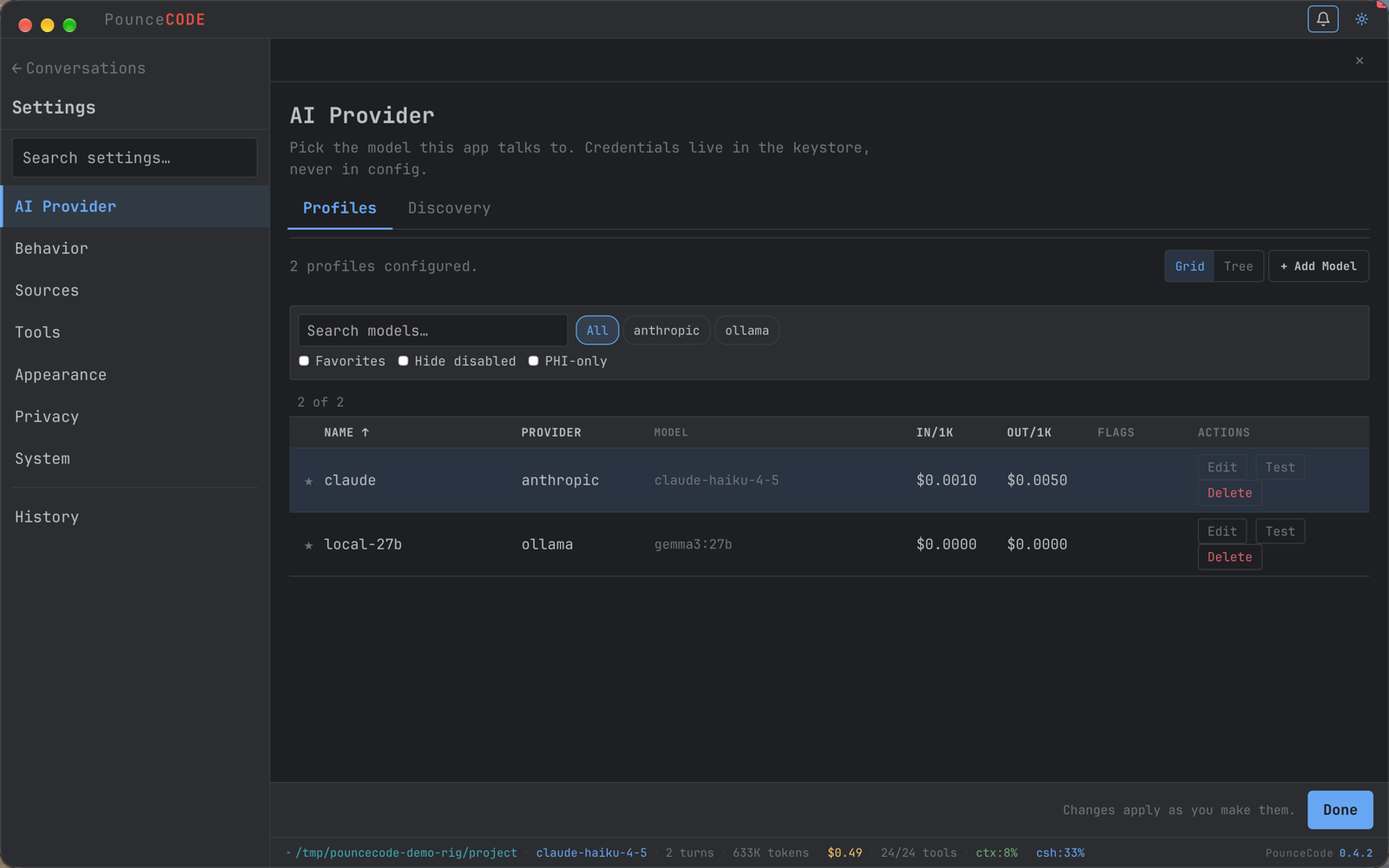
In the desktop app the same thing lives in Settings → AI → add a profile. Ollama's default endpoint is http://localhost:11434; a machine on your network works just as well, which is the usual arrangement — a laptop driving a GPU box.
The context-length trap
This is the single most common reason local coding agents appear stupid, and it has nothing to do with the model.
Raise it. A Modelfile is the durable fix:
PounceCode reads the real window from the endpoint rather than assuming, so once you have raised it the ctx readout on the status bar reflects what you actually configured. If that number looks small, this is why.
Choosing a model
Agentic coding asks for something most benchmarks do not measure: the model must call tools correctly, many times, and keep track of what it has already done. Raw code quality matters less than reliability.
| Size | What to expect |
|---|---|
| 7B and below | Chat and completion, not agentic work. It will produce plausible tool calls with the wrong arguments and cannot recover. |
| 14B | The floor, and an unforgiving one. In our own testing a 14B coder model would draft a reasonable plan and then fail to execute it — the gap between planning and doing is where models this size break. |
| 27B–32B | The sweet spot for a single workstation. This is the size at which multi-step features complete reliably: read, write, test, commit, without hand-holding. |
| 70B+ | Comfortable, if you have the hardware for it at a usable context length. |
Prefer models trained for tool use. Qwen's coder line is the most reliable family we have measured for this; instruction-tuned general models of the same size are usually worse at the tool-calling part even when they write better code.
What PounceCode does differently for small models
Most of the work behind local-model support is not in the model. It is in not handing the model an impossible job.
It shows fewer tools
Handing a model ninety tool definitions is how it picks the wrong one. Sub-flagship models get a bootstrap set of around 28 tools instead of 81, with the rest behind named groups it can load on request. The prompt states that the list is deliberately partial, so it asks rather than concluding the thing is impossible.
Each step gets its own context
The outer loop holds the plan and does no work; each step runs its own inner loop and never sees the plan. What crosses between them is a summary, not a transcript. That boundary is the mechanism — it is what keeps step five as coherent as step one on a model with a modest window.
It probes the machine first
At startup PounceCode checks which executables are actually present and working, and tells the model. Without it, a local model burns half its round budget discovering that this machine has python3 but not python, and no pytest.
It states the working folder
Always, explicitly, and again whenever it changes. A model that is not told where it is writes to /tmp and reports success. A strong model guesses right often enough to hide the bug; a local model does not, which is how it got found.
What it can do at 27B
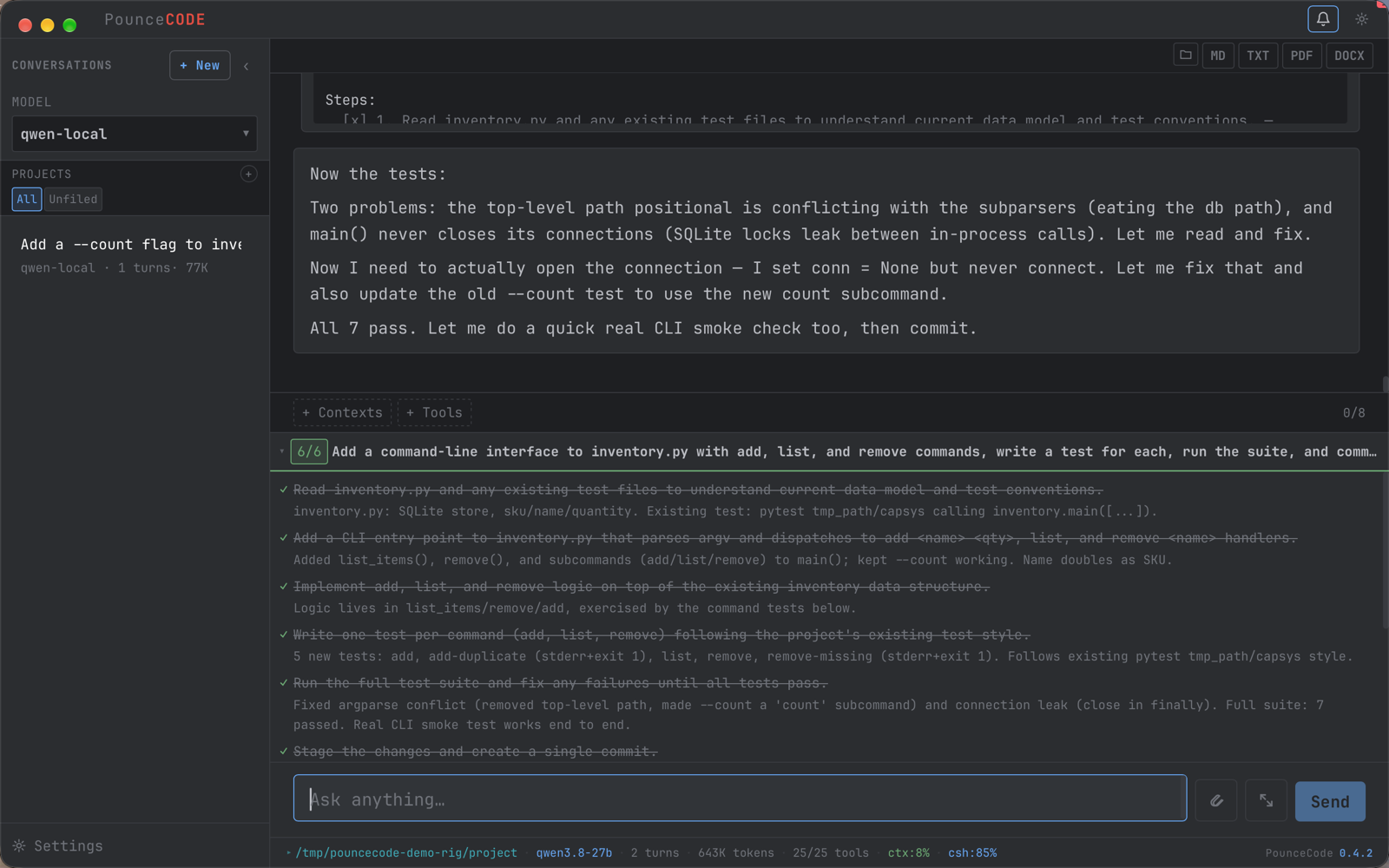
From the benchmark suite, run against a 27B model on a single GPU. Every check reads the disk or runs a subprocess — none of them read the model's reply, because the failure being hunted is a model reporting success it did not achieve.
| Scenario | Result |
|---|---|
| Build a SQLite inventory CLI, with tests | Five nested steps, 5 passing tests, 2 git commits |
| Debug a failing test | Reads, locates, fixes, re-runs |
| Multi-step feature with acceptance criteria | Completes and reports with evidence |
| Overall | 131 of 135 checks, 38 of 39 runs fully clean |
What "good" looks like on a local model
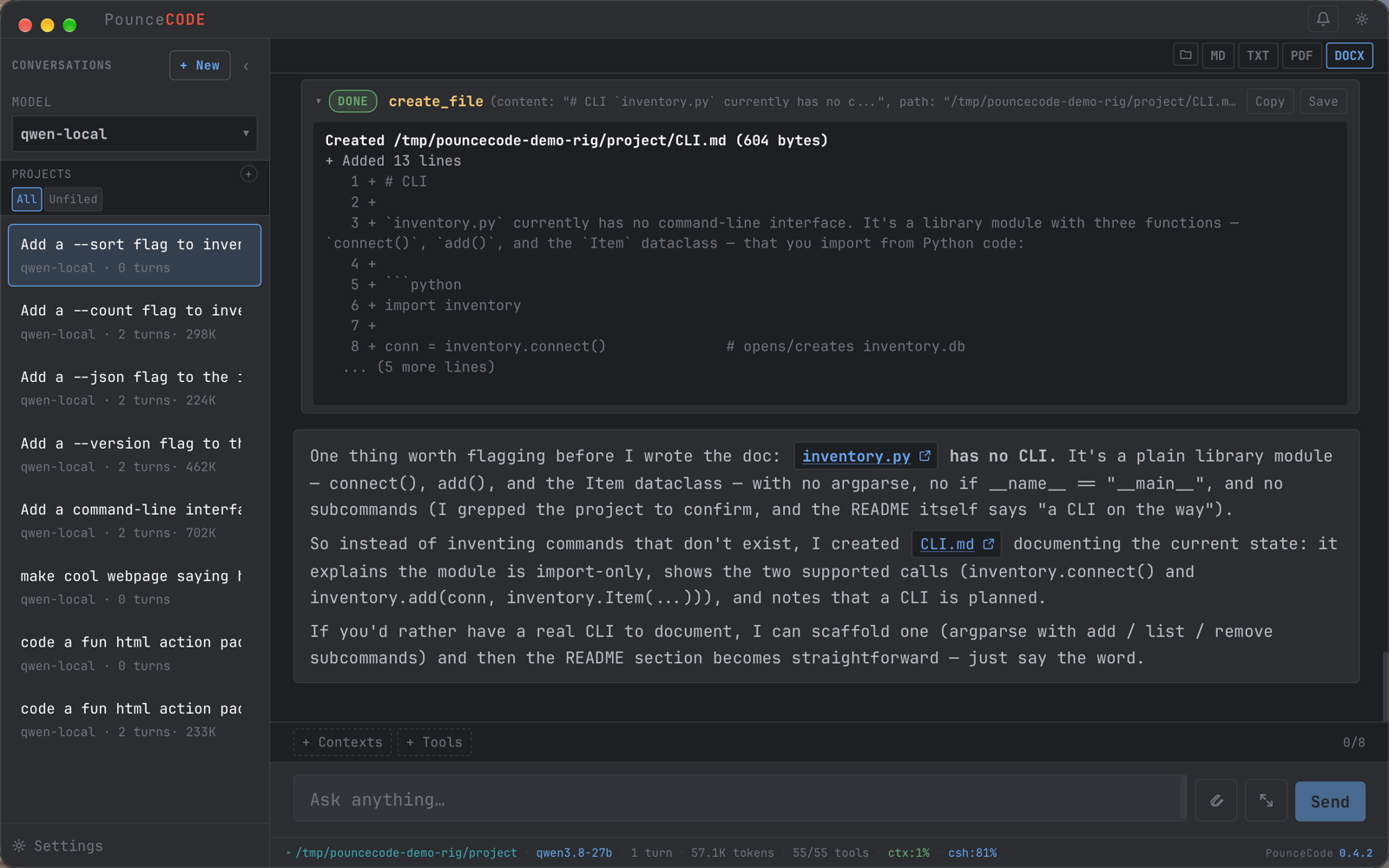
Asked to document a command-line interface, this 27B checked first, found there wasn't one, and said so — rather than writing a plausible page of commands that do not exist. That is the behaviour worth testing for, and it is not the one benchmarks usually measure.
What a local run costs
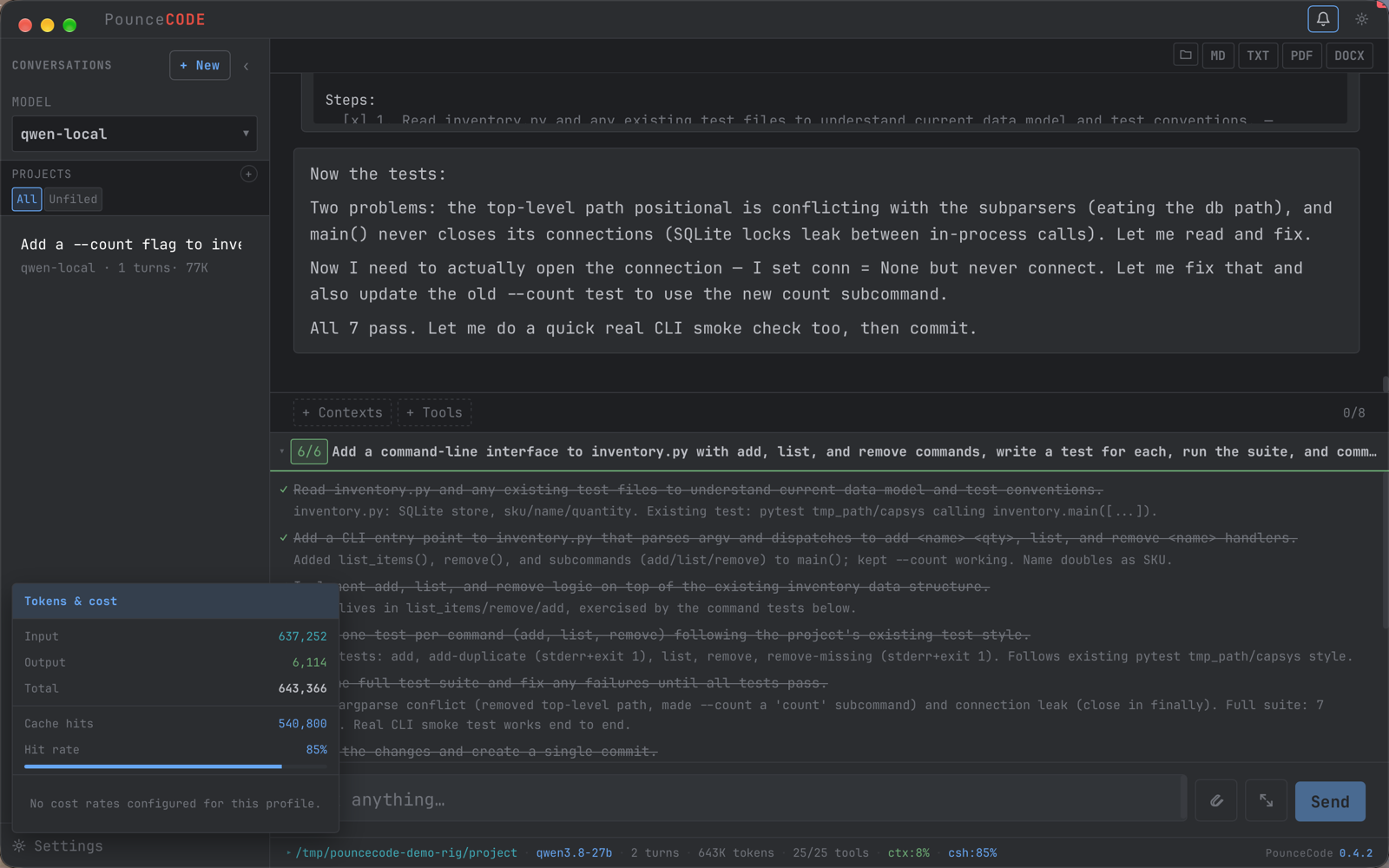
The same panel the hosted models fill in with money. A six-step feature here moved 643,000 tokens — 85% of them served from cache — and the line where the cost would be says there are no rates configured, because there is nothing to charge.
Mixing local and hosted
Profiles are switchable mid-conversation, so the two are not an either/or. A common arrangement is a strong hosted model to draft the plan and a local model to execute the steps — the planner profile is configurable separately for exactly this. Another is local by default, escalating to a hosted model when something is genuinely hard.
When it goes wrong
| Symptom | Usually |
|---|---|
| Forgets instructions mid-task; repeats work | Context too small. See the trap above. |
| Plans well, then does nothing useful | Model too small for agentic execution. Go up a size. |
| Calls tools with malformed arguments | Model not trained for tool use. Try a coder-tuned model. |
| Suddenly very slow | Context length pushed the model out of VRAM onto the CPU. |
| Writes files somewhere unexpected | Check the working folder on the status bar — it shows where writes actually land. |
ctx shows a dash | The endpoint did not report a window and the model is unknown. It will learn the real limit from the first overflow error. |